Read Chinese from a photo
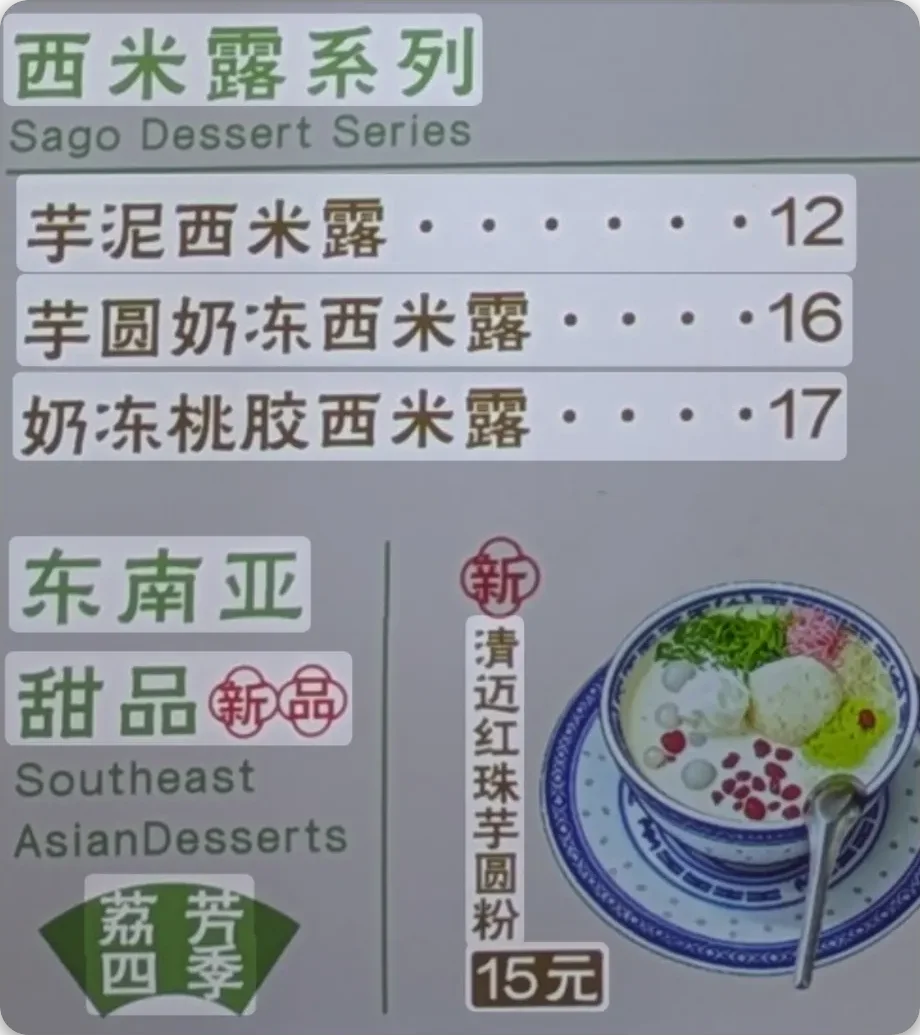
Take a photo of a menu, a sign or a page of your textbook, and Hanping picks out every line of Chinese in it. Tap a line to see its pinyin, its meaning and the words it's made of, hear it spoken, and star the words you want to keep. It's the Image Reader in Hanping Chinese Dictionary, on iPhone, iPad and Android.
From hanzi to pinyin, one tap at a time
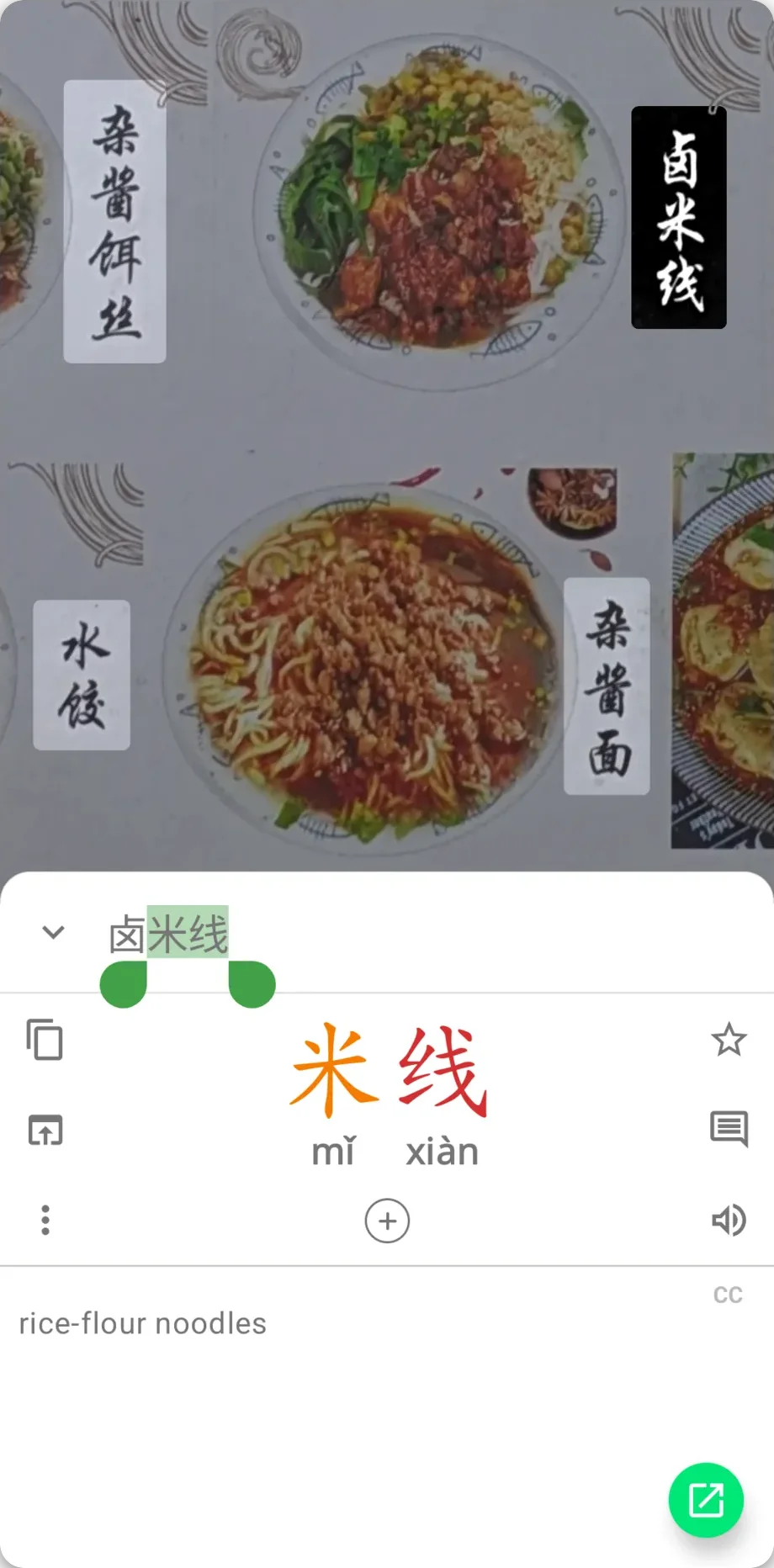
Tap a highlighted line and its text appears at the top of the panel, with the pinyin, the definitions and the words that make it up underneath. A line on a menu is often several words run together, so tap any word in it to look up just that one, or drag the handles to pick out exactly the characters you want. Every entry has the same stroke animation, audio and example sentences as a normal lookup.
Menus, signs, textbooks and screenshots
- A photo or a screenshot. Take one with the camera, pick one from your gallery, paste a screenshot, or share an image into Hanping from another app.
- Simplified or traditional, printed or neat handwriting.
- Vertical text and columns. When a sign runs top to bottom or a menu is set in columns, read it one band at a time and Hanping recognizes just that part.
- A whole page. Send everything recognized in a photo to the Document Reader and read it as paragraphs, tapping any word.
- Other apps' screens, on Android: the Screen Reader reads subtitles, chats or games without a screenshot.
Keep the words you look up
This is the part a translator can't do. A word you look up in a photo goes into your history, and you can star it or give it your own tag, just like any other word. Starred words go into Hanping's free flashcards, or straight into AnkiDroid, so the dish you couldn't read tonight is one you know next time.
Hanping or Google Lens?
If you're in China and just need to order dinner, use Google Lens. It paints the English straight over the Chinese, which is exactly what you want at a restaurant table: one glance and you know what's on the menu. It's free, and it's very good at that.
What it doesn't do is teach you anything. Lens gives you a translation of the line, but it doesn't break it into words, each with its own pinyin, tones and definitions, and it leaves you nothing to remember the word by afterward. That's where Hanping comes in: you see how each word is said, what each part means, and you keep the words you want to learn. Plenty of learners use both.
When you do want a translation of a whole sentence, the Translate button sends the line to DeepL, Google or Microsoft, or to an on-device translator for the gist.
Price
Hanping Chinese Dictionary is free. The Image Reader is a $9.99 add-on, bought once, with no subscription. Before you buy, you can look up words in three of your own images, and in the sample images as often as you like. One purchase covers both Hanping Chinese and Hanping Cantonese on all your devices, and includes the Screen Reader on Android. The documentation has the details.
Try it on a photo of your own.


Choosing a dictionary app? See Hanping vs Pleco.